
Download Flip This – Quirky Webpage Rotation, X/Y Axis Flip, Animated Transitions
Overview
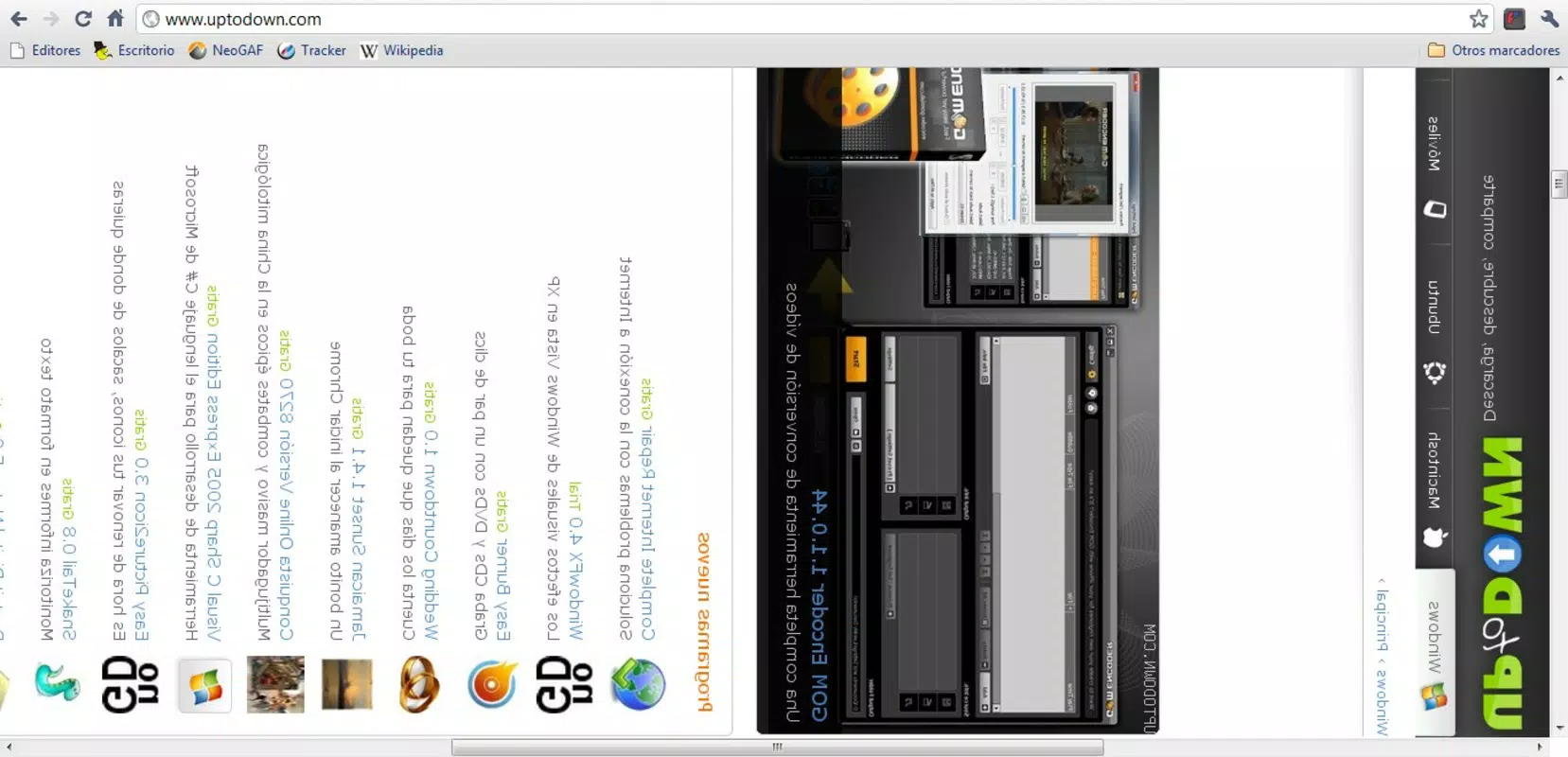
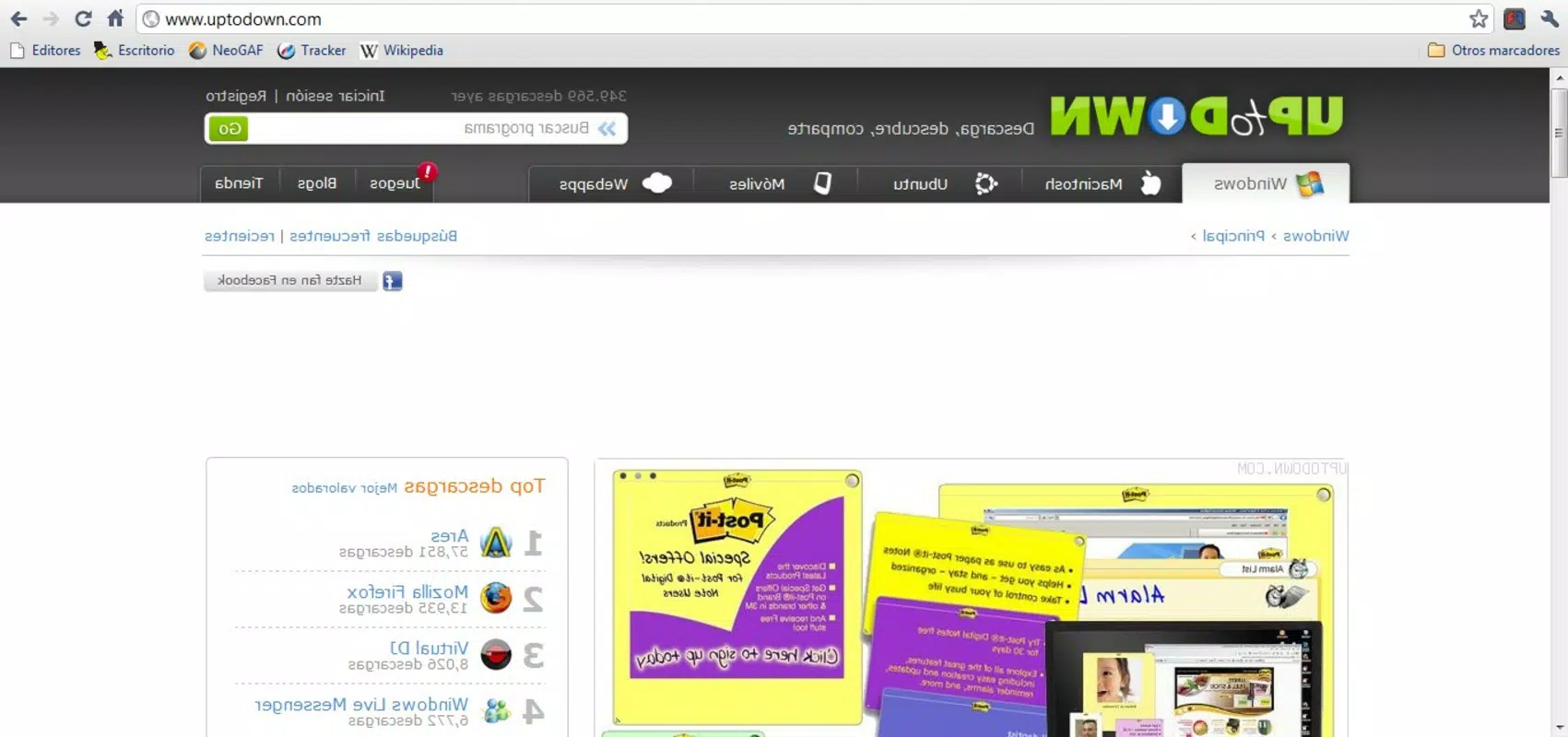
Flip This presents a playful approach to web browsing by allowing users to flip and rotate webpages along the X or Y axis. Designed as a browser extension, it transforms the standard viewing experience into a whimsical interaction, appealing to users seeking novelty in their digital routines. The app’s primary function is to enable dynamic visual manipulation of web content, offering users the ability to view pages from unconventional angles. While not intended for productivity or serious tasks, it serves as a lighthearted tool for entertainment and creative expression.
Target users include casual internet explorers, digital pranksters, and individuals who enjoy experimenting with visual effects in their browsing sessions. The app may also appeal to educators or presenters looking for engaging ways to demonstrate perspective shifts in a classroom or presentation setting. Although the developer did not provide additional background, the app’s long-standing presence since 2011 suggests a niche but enduring appeal in the browser extension ecosystem.
Real-world use cases are limited to fun interactions—such as flipping the Google homepage for amusement or rotating content during a casual browsing session. While it lacks functional utility in professional or workflow-oriented contexts, Flip This contributes to the broader category of interactive web tools by emphasizing user engagement through visual playfulness. Its continued availability reflects a demand for simple, entertaining digital experiences in an increasingly utilitarian online environment.
Key Features & Functionality
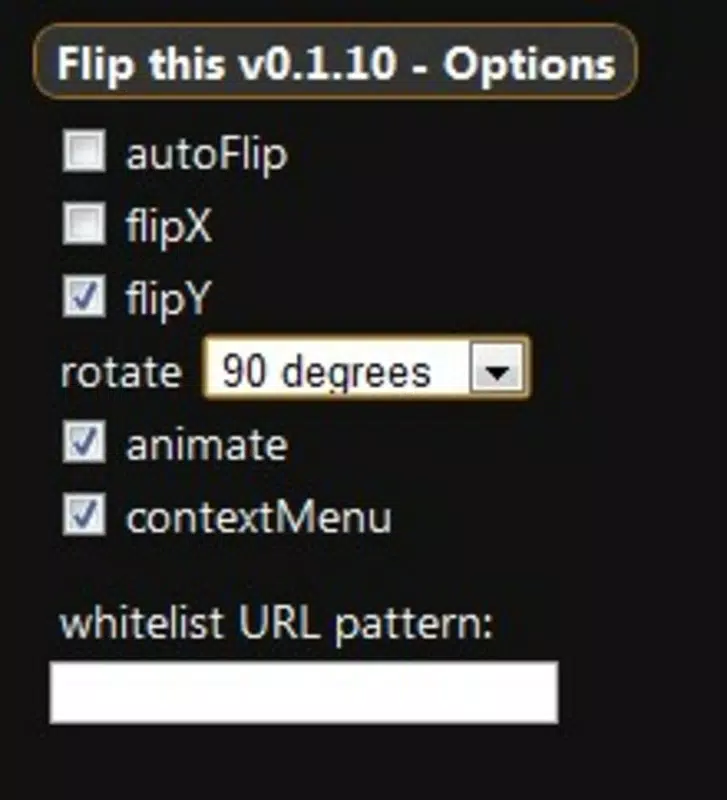
- Axis Flipping Options: Users can toggle between flipping webpages along the X-axis (horizontal) or Y-axis (vertical), offering distinct visual transformations. This feature allows for creative manipulation of content, such as viewing a webpage as if it were reflected in a mirror or flipped upside down.
- Degree Rotation Adjustment: The app supports precise rotation of pages by customizable degrees, enabling users to achieve exact viewing angles. This level of control enhances the experience for those who wish to experiment with perspective, such as simulating a book page turn or a 3D tilt.
- Animated Page Flips: Flip This includes smooth, animated transitions when flipping or rotating pages. These effects enhance visual appeal and make the transformation feel dynamic and engaging, adding a layer of entertainment to the browsing process.
- Simple Activation: The flip function is triggered with a single click on the extension icon. This intuitive design ensures minimal learning curve and immediate access to the app’s core functionality, making it accessible to users of all technical skill levels.
- Entertainment-First Design: The app prioritizes amusement over utility. While it offers visual customization, its practical applications in daily browsing are minimal. It excels as a novelty tool rather than a productivity enhancer.
For example, a user might flip the YouTube homepage to view thumbnails upside down for a laugh or rotate a news article at a 45-degree angle during a casual read. These scenarios highlight the app’s role in enhancing personal browsing enjoyment rather than improving efficiency or accessibility.
Interface, UX & Performance
The interface of Flip This is minimal and centered around a single icon, consistent with the design principles of browser extensions. Users interact with the app through a straightforward click-and-flip mechanism, reducing cognitive load and ensuring ease of use. The visual feedback during flipping—such as animated transitions—adds a layer of responsiveness that enhances the user experience.
Navigating through the app’s features requires no setup or configuration. The simplicity of the interface supports a seamless interaction flow, allowing users to experiment with flips and rotations instantly. Although the developer did not list formal performance metrics, the app’s lightweight nature suggests it operates smoothly on most modern devices without significant lag or resource consumption.
Stability appears to be consistent, given the app’s long-standing presence since 2011. However, specific requirements or compatibility details were not disclosed. Users can expect a stable experience on devices capable of rendering basic animations, though performance may vary depending on hardware capabilities and browser optimization.
Platform Compatibility & Technical Requirements
Flip This is designed as a browser extension, meaning it operates within web browsers rather than as a standalone mobile application. The supported platform and operating system were not specified in the provided information. Similarly, the file size, software version, and minimum OS requirements were not disclosed by the developer.
Compatibility with specific browsers or versions was not detailed. However, the app’s functionality suggests it is compatible with major desktop browsers that support extensions, such as Chrome, Firefox, or Edge. Users should verify compatibility with their browser’s extension marketplace before installation.
Pros and Cons
Pros
- Simple, intuitive interface with one-click activation
- Offers creative visual manipulation through axis flipping and rotation
- Includes smooth animated transitions for enhanced engagement
- Lightweight and low resource usage
- Provides entertainment value for casual browsing
Cons
- Limited practical utility beyond novelty use
- No detailed technical specifications provided <
- May not be suitable for productivity-focused workflows
- Long-term engagement may diminish due to repetitive novelty
- Compatibility with mobile browsers or specific OS versions not confirmed
FAQ
Is Flip This safe to install?
The app is a browser extension with no reported security risks. It operates within the browser’s sandboxed environment, limiting access to sensitive data.
Can I use Flip This on mobile devices?
It is designed as a desktop browser extension. Mobile compatibility was not specified, and no mobile version was provided.
Does Flip This require a subscription?
No, the app is available for free. There are no known in-app purchases or subscription models.
How do I update Flip This?
Updates are typically managed automatically through the browser’s extension marketplace when available.
Is Flip This compatible with all browsers?
While it likely works with major browsers, specific compatibility details were not disclosed by the developer.
Final Thoughts
Flip This stands out as a unique digital novelty that reimagines how users interact with web content. While it lacks the functional depth of productivity tools, its charm lies in its ability to transform routine browsing into a playful experience. The combination of axis flipping, degree rotation, and animated transitions offers a simple yet engaging way to explore perspective and creativity.
It’s best suited for users who value fun, experimentation, and visual entertainment over efficiency. Educators, presenters, or casual users seeking to add a touch of whimsy to their digital sessions may find it particularly enjoyable. Despite its limitations, Flip This remains a testament to the diversity of digital tools available—even those designed purely for amusement.
Download Flip This now


